
Print-ready event files in minutes
Upload the list. Download files that print straight.
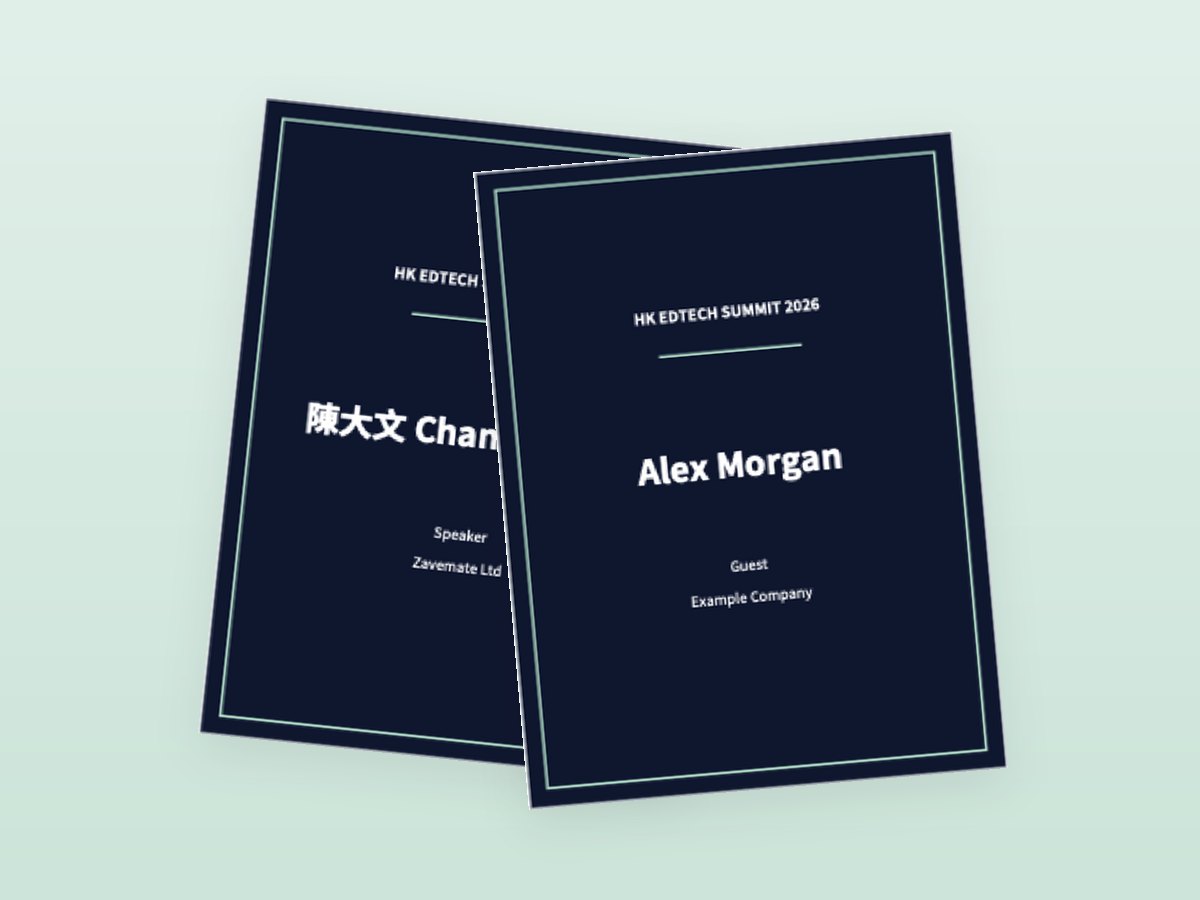
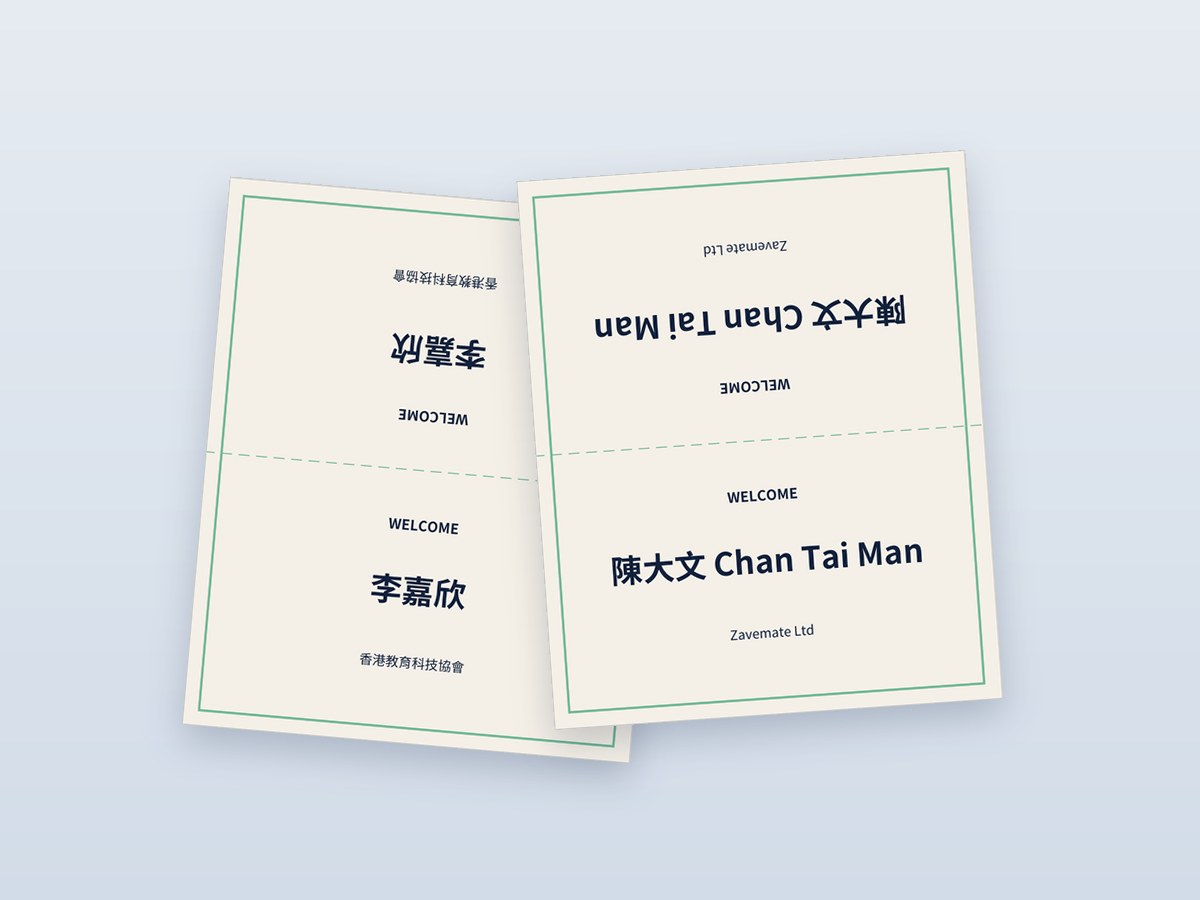
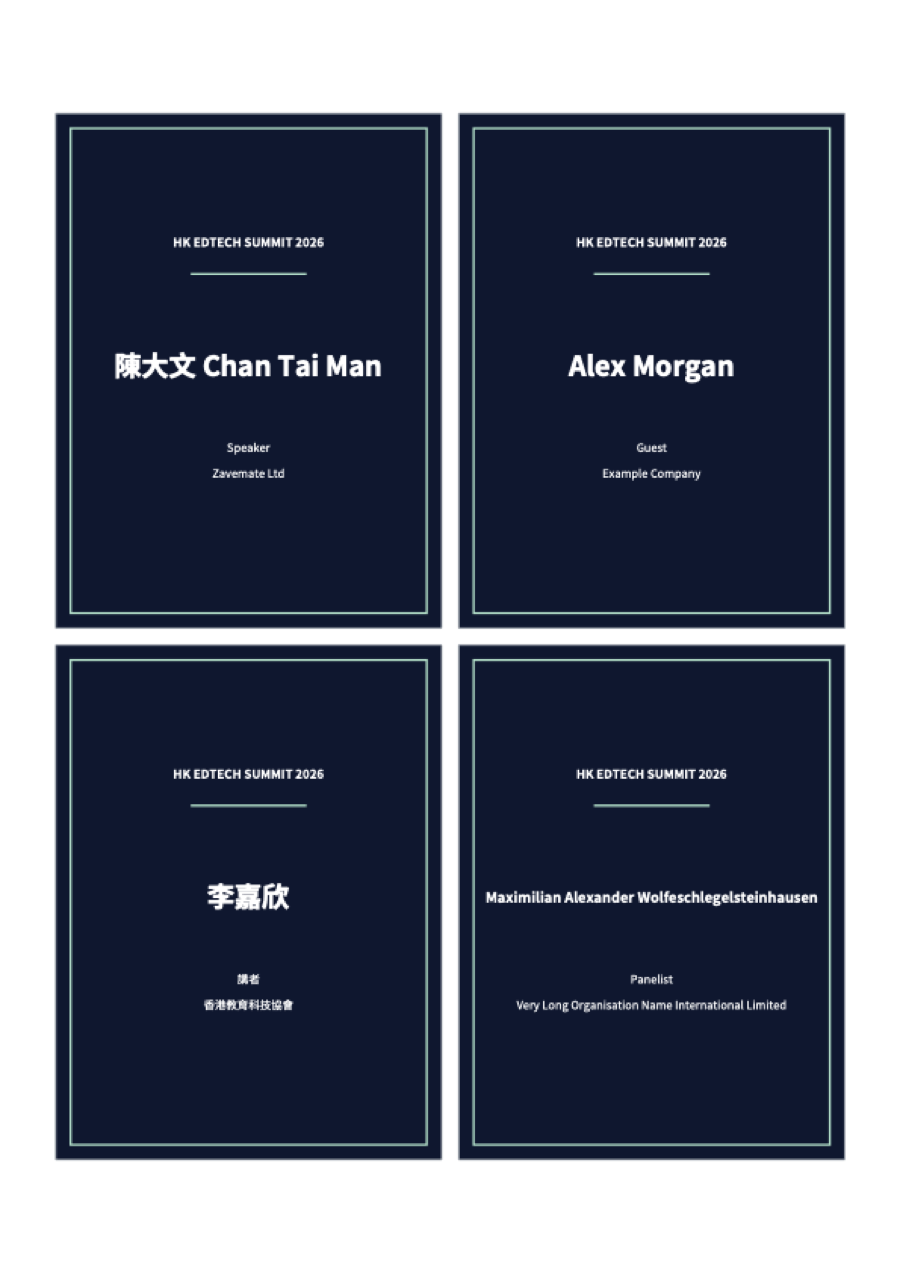
Turn your attendee list into name badges, certificates or place cards in your browser — laid out on A4 or A3 with clear cut lines, long names fitted automatically, Chinese–English names on one line or two, and the name on both sides of place cards and badges.
- Ready in minutes, no waiting
- Chinese & English names on one or two lines
- The name on both sides of place cards and badges
- Your list stays in your browser

How it works
- Upload your listOpen a CSV or Excel file, or type the names in the page. Choose which column is the name and which columns to print.
- Choose design and paperPick a background or upload your own, add logos, and choose the size and A4 or A3 paper. The whole print sheet updates as you go.
- Check the proofA watermarked proof of every sheet at actual size. Long names, Chinese characters and spacing are fitted automatically, and anything shrunk a lot is flagged.
- Download and printDownload the print sheet PDF and one PDF per person. Print at 100% / Actual size and cut along the lines — or send the file to any print shop.
Why not just use a template?
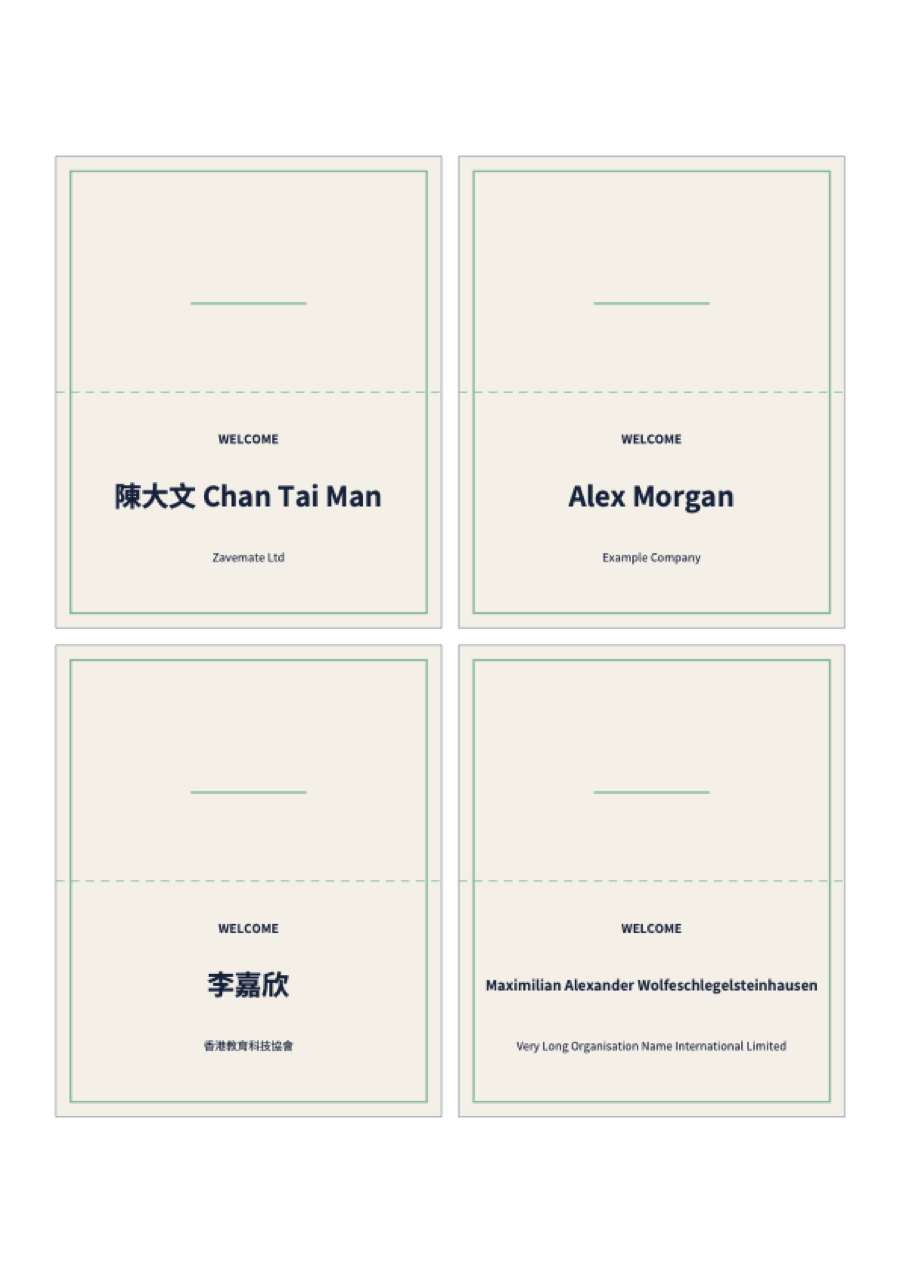
Real output from our layout tool
These sheets were made with the same layout engine as the self-serve tool.

Your list never leaves your computer
The tool runs in your browser. Names, titles and companies are never uploaded — when you download final files, we only receive the number of names.
Read the privacy policyPricing
Free
US$0
Try the tool and check every name.
- Unlimited watermarked proofs
- 1 saved design
Credit packs
From US$9
Buy once, use for any event.
- 100 credits · US$9
- 300 credits · US$19
- 1,000 credits · US$49
Best for regular events
Pro
US$15 / month
Yearly: US$144 / year · US$12 a month, billed yearly
For event companies, schools and anyone who runs events every month.
- 500 credits every month
- 10 saved designs
The same prices for name badges, certificates and place cards. Digital files only — printing and shipping not included. See full pricing →
Common questions
What exactly do I get?
Print-ready PDFs made in your browser: a print sheet laid out on A4 or A3 at actual size and one PDF per person (zipped). You check a watermarked proof first. We don’t print or ship anything.
How much does it cost?
Free until 31 December 2026: each account can make final files for up to 300 names in total and save 3 designs. After that, credits are used when you download final files (1 credit = 1 name): credit packs from US$9, or Pro if you run events regularly. Every product costs the same.
Can it handle Chinese and English names?
Yes. The files use Noto Sans TC, an open-source font that covers Traditional Chinese and English. Long or bilingual names are sized to fit, and any name shrunk a lot is flagged for you to check. You can also put the Chinese and English parts of each name on separate lines with one tick in Adjust layout.
Can the name show on both sides?
Yes. Folded place cards print the name on both halves — this is on by default. For name badges, tick Two-sided badge: each badge prints twice on one strip, you fold it and slide it into the badge holder, and the name still shows when the badge turns around on its lanyard. No double-sided printing is needed, so the two sides always line up.
What list format do I need?
A CSV or Excel file (.xlsx or .xls) with a header row and one person per row — or type the names straight into the page. You choose which column is the name and which columns print; columns such as email can stay in the file and won’t print. If an Excel file has more than one sheet, choose the one with the names.
Is my name list uploaded?
No. The list is read and the PDFs are made inside your browser. We only record how many names you made final files for.
Ready for your event files?
Upload your list and check the proof in minutes. Free until 31 December 2026.
Questions? Email zavemate@gmail.com